AI Automation for Small Business Owners: A 2026 Guide
Discover AI tools for small business automation in 2026. Start with admin tasks using Claude Code, Hermes Agent, and more. Learn what to automate first.

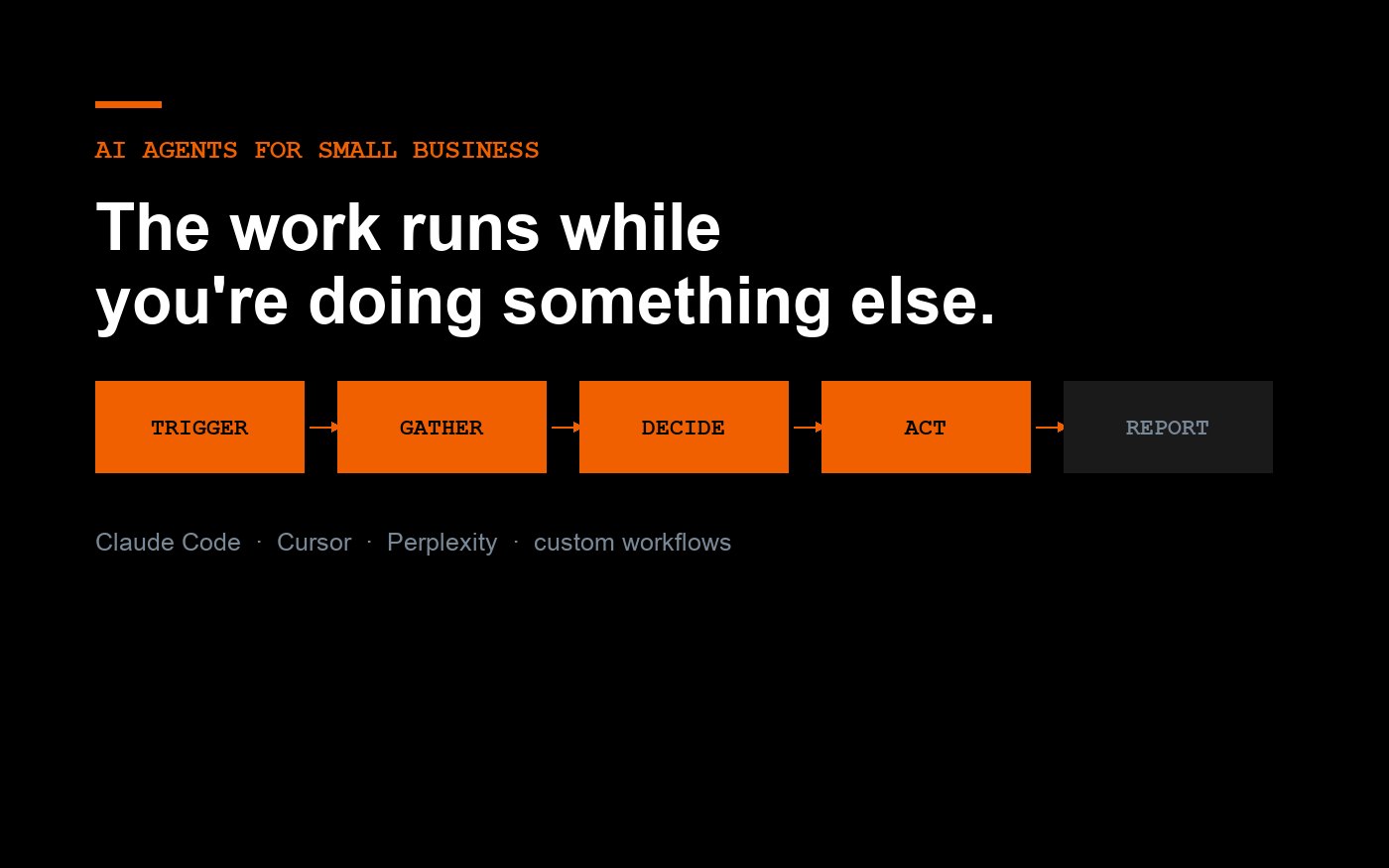
I built 2 live iOS apps at 55, with no traditional coding background, and the surprise was not that AI could write code — it was that AI could finally carry the dull business work between decisions. If you run a small business in 2026, automate the repeatable admin first: research, inbox triage, customer follow-up, SOP drafting, lead prep, basic reporting, and internal tool building with Claude Code, Hermes Agent, Cursor, Perplexity, and custom workflows. Not content. Not “an AI CEO.” Not a fake employee with a cartoon avatar. Start where dropped balls cost money. I learned this the hard way across GearTop, TapeGeeks, $75K+ in consulting work, $2M+ in managed ad spend, and 39 App Store rejections before RunMate Pro made it through review. This guide to AI agents for small business owners 2026 on gregkowalczyk.com is for founders who can sell, hire, ship, and manage cash — but do not want to become software engineers.
Quick answer: Small business owners should automate research, inbox triage, customer follow-up, reporting, SOPs, and internal tools before touching sales calls or public content. Use Perplexity for sourced research, Claude for reasoning, Cursor and Claude Code for app-like tools, and Hermes Agent for repeatable multi-step work.
AI agents should automate repeatable business work before they touch strategic decisions.
The wrong first move is asking an AI agent to “run sales” or “manage marketing.” That sounds exciting. It also breaks fast. Honestly, most small business AI projects fail because the founder tries to replace judgment before documenting the work.
My 3-times rule
My engineering rule is simple: if I do a task 3 times, I either make a checklist, a template, or an agent. I used that mindset long before AI, back when I was Chief Engineer at SMS-Siemag managing a 70-person department in steel equipment. The tools changed. The thinking did not.
For a small business owner, the first automation candidates are not glamorous. They are the tasks you avoid on Friday afternoon because they are annoying: pulling order notes, checking supplier emails, summarizing customer complaints, comparing ad results, preparing meeting briefs, and turning messy voice notes into next steps. Boring work. Good target.
McKinsey estimated that generative AI could add $2.6 trillion to $4.4 trillion in annual economic value, but the useful part for founders is not the giant number. It is where the value sits: customer operations, sales, software engineering, and knowledge work. That matches what I see in the field.
The “agent ladder” I use with non-technical founders
I think of AI adoption as a ladder. Step 1 is asking better questions in Claude or ChatGPT. Step 2 is saving reusable prompts. Step 3 is connecting files and tools. Step 4 is giving an agent a defined job. Step 5 is letting that agent act with limits.
Most owners should live between steps 2 and 4 for the first 60 days. Give the agent narrow work. “Read these 12 support emails and tag them by refund risk” beats “make customers happy.” “Check my calendar and draft a prep brief for tomorrow’s supplier call” beats “be my assistant.” Specific beats magical.
That is the first principle behind AI agents for small business owners 2026 on gregkowalczyk.com: automate the handoff, not the human. You still decide. The agent prepares, checks, drafts, sorts, and reminds.
Where I would not start
Do not start with public-facing brand voice, legal replies, medical advice, final pricing, hiring decisions, or anything that can create real damage without review. This does not work for founders who refuse to inspect outputs. If you want a machine to make every call while you disappear, skip this entirely.
Most people get this wrong: the standard advice to “start with content” is actually backwards for many operators. Content is visible, subjective, and easy to make worse. Operations are private, measurable, and easier to correct. Start there.
The best first agent is a research-and-briefing assistant that saves 3 to 5 hours per week.
A research-and-briefing assistant is the safest first AI agent because it improves decisions without making decisions for you. It reads, compares, cites, and prepares. You still judge.
Use Perplexity when sources matter
Perplexity is my first stop when I need sourced research fast. Supplier background. Competitor claims. Market sizing. App Store policy changes. Race permit requirements. It is not perfect, but it gives citations I can inspect, which matters when money or reputation is involved.
For example, when working on SunUp by GearTOP, my UV safety app live since September 2025, I needed clear source trails around UV index education. An answer without sources was not enough. I wanted the path back to recognized health and weather references before I built screens around it.
The same applies to SEO and LLM optimization. If an answer engine is going to cite you, it needs clear claims, named entities, dates, and sources. Harvard Business Review reported that people use generative AI heavily for practical support, including tutoring, organizing life, and work tasks, in its piece on how people are really using generative AI. That is the kind of external support a founder can reference, not just repeat.
Turn research into a decision brief
My preferred pattern is simple: Perplexity finds sources, Claude turns them into a decision brief, and I ask follow-up questions until the tradeoffs are obvious. I want a one-page memo with options, risk, cost, dates, and the “if this fails” path.
Here is a real prompt pattern I use: “Act as my operator. Build a decision brief for [decision]. Include 3 options, expected cost, what can go wrong, what data is missing, and a recommendation. Do not write marketing copy. Be blunt.” Short. Useful.
This is where AI agents for small business owners 2026 on gregkowalczyk.com differs from hype videos. I am not trying to impress another AI person. I am trying to help a founder avoid one bad hire, one bad software purchase, or one missed follow-up.
Add memory only after the brief is useful
Do not connect Gmail, Calendar, Drive, Slack, and your bank account on day one. Build the briefing habit first. Then connect tools one at a time. My own EddieAI setup uses Gmail and Calendar through Composio, AgentMail at eddieai@agentmail.to, Firecrawl, and a memory vault, but I did not start by giving it the keys to everything.
One connection. One job. One review loop. Then expand.
| Feature | Claude Code + Cursor | Hermes Agent + Perplexity + Custom Workflows | Best for |
|---|---|---|---|
| Automate first | Website fixes, landing-page variants, analytics snippets, CRM form cleanup, internal-link updates, and app backlog tasks using Claude Code in terminal plus Cursor as the AI IDE. | Lead intake, appointment routing, proposal prep, FAQ responses, research summaries, and recurring admin workflows connected to email, docs, sheets, CRM, or no-code tools. | Non-technical founders should start with repetitive revenue or support tasks before full “agentic” business automation. |
| Real pricing signals | Cursor Pro is commonly $20/month; Cursor Business is commonly $40/user/month. Claude Code usage depends on Anthropic plan or API usage; Claude Pro is commonly $20/month, with higher Max tiers available. | Perplexity Pro is commonly $20/month or $200/year. Hermes Agent/custom agent costs vary by platform, hosting, integrations, and build scope; small workflow builds often pair subscription tools with consulting setup. | Owners comparing monthly SaaS cost versus a one-time implementation such as Greg’s $5K+ AI consulting engagements. |
| SEO and LLM optimization use case | Update title tags, meta descriptions, sitemap links, page speed issues, structured content sections, and internal links like /ai-consulting, /ios-apps, and /small-business-ai. | Use Perplexity for current SERP/entity research, competitor positioning, People Also Ask discovery, and LLM-friendly answer summaries; route approved tasks into custom workflow queues. | Founders who want discoverability improvements without turning this into an AI blog writing workflow or content quality gate process. |
| FAQ, schema, internal links, hero image | Generate and insert FAQPage, LocalBusiness, SoftwareApplication, or Article schema; add internal links; create hero image specs, alt text, dimensions, and implementation tickets. | Trigger workflow checklists: confirm FAQ accuracy, collect customer questions, enrich schema fields, request brand-approved hero image assets, and log completed SEO actions. | Small business sites needing technical SEO execution, not generic article drafting. |
| Founder-friendly setup | Best when a developer or technical consultant connects GitHub, staging, deployment, analytics, and approval steps; Cursor and Claude Code can edit real codebases but need guardrails. | Best when the owner can describe a process in plain English: “when a lead submits the form, qualify it, draft a reply, add to CRM, and notify me.” | Non-technical founders who want practical automation but still need human review before customer-facing actions. |
| Greg proof point | Fits Greg’s profile: building and shipping two iOS apps at 55 shows the same AI-assisted execution pattern can be applied to websites, apps, and operational tools. | Supports Greg’s $5K+ consulting model: map the business process first, then build a repeatable agent workflow instead of selling vague AI hype. | Owners who want a credible operator-led implementation, not a tool-only recommendation. |
| 2026 recommendation | Use for code-backed automation: website updates, app maintenance, technical SEO, schema, dashboards, and integrations that require repository access. | Use for business-process automation: research, intake, routing, reminders, sales ops, customer support triage, and repeatable back-office workflows. | Start with one measurable workflow: save 5+ hours/month, increase qualified leads, reduce missed follow-ups, or improve local/search visibility. |
Claude Code and Cursor are best used to build small internal tools before customer-facing software.
Claude Code and Cursor can help non-technical founders build working tools, but the first win should be an internal dashboard, calculator, or admin helper. Customer-facing software has higher stakes.
Why I started building instead of waiting
At 55, I shipped my first iOS app. No CS degree. No traditional coding background. RunMate Pro was approved after 39 App Store rejections, which is a polite way of saying Apple punched me in the face 39 times and I kept fixing the app.
That process changed how I see AI tools for non-technical founders. Claude, Cursor, VibeCode, ChatGPT, and Perplexity did not make me a senior developer. They made me a better product owner. I could describe the outcome, inspect the result, test it, break it, and ask for repairs.
For deeper app-building notes, I keep the live story here: how I built two iOS apps without coding. Both apps — RunMate Pro and SunUp by GearTOP — are public, and I break down how each one was built on the projects page. Real shipping teaches lessons that demos do not.
What I would build first in Cursor
Start with a private tool that has a clear input and output. A refund-risk tagger for Shopify exports. A reorder calculator for inventory. A race volunteer assignment board. A CSV cleaner for ad reports. A landing page tester. Something that can be wrong without harming a customer.
Cursor is helpful because it keeps the codebase visible. Claude Code is helpful because it can work across files and reason through changes. I like using Claude for architecture, Cursor for edits, and Perplexity for documentation checks when a package or API has changed.
A practical example: for the Bronte Harbour Classic 5K, our inaugural June 2026 race with a goal of 800 runners, I would rather build a small volunteer check-in tool than ask an agent to “market the race.” The check-in tool has obvious fields, clear errors, and a yes-or-no outcome on race morning.
Use running scenarios to test product logic
The best product tests use specific human moments. “Mile 18 of a 22-miler, sharp medial knee pain mid-stride, two weeks out from a marathon during taper” tells me far more than “runner has knee pain.” “Week 8 of a marathon block, 42 miles logged, deep arch ache the morning after a cold October morning, first race back” gives an app or agent real context to reason through.
I use that same specificity in business automation. Do not test “customer is unhappy.” Test “customer bought UV sleeves on May 11, emailed after 9 days, says the seam rubbed during a 10K charity race, and wants a replacement before Saturday.” Agents need concrete cases. So do humans.
Hermes Agent makes sense when a business process has stable steps, clear permissions, and a measurable result.
Hermes Agent is not the first tool I would give every founder, but it is powerful when the process is repeatable and worth at least $5K per month in saved time, recovered revenue, or reduced errors.
Where a higher-cost agent pays off
My consulting model for agent builds is blunt: Hermes-based agents belong near $10,000 per month, and lighter OpenClaw-based agents belong near $5,000 per month. That is not for a solo founder who has not written an SOP yet. That is for a business where the process already costs real money.
Examples: a local services company missing 40 inbound leads per month, an e-commerce brand drowning in return emails, a B2B firm that needs account research before every sales call, or a clinic that needs non-medical intake routing with human review. The agent is not magic. It is a tireless coordinator with rules.
Gartner has predicted that by 2028, agentic AI will autonomously resolve a large share of common customer service issues. I would still keep a human in the loop for refunds, cancellations, health claims, and angry customers. Speed without judgment is how small businesses create expensive messes.
The permissions model matters
A good Hermes Agent setup should have permission levels. Read only. Draft only. Send with approval. Send under a dollar threshold. Escalate when confidence is low. Log everything. If you cannot explain what the agent is allowed to do in one paragraph, the scope is too loose.
My EddieAI project is set up in phases for exactly that reason: VM and Telegram first, memory next, Gmail and Calendar, then AgentMail, then a second agent, then client work. I did not jump straight to “AI runs the company.” I built the rails first.
This is another reason I keep writing about AI agents for small business owners 2026 on gregkowalczyk.com. The public conversation rewards the wild demo. The real money comes from boring permissions, logs, and fallback paths.
When Hermes is too much
If your business has fewer than 20 meaningful customer messages per week, no documented process, and no one willing to review agent work daily, Hermes is probably too much. Use Claude Projects, Perplexity, Zapier, Make, or a simple custom GPT first.
The truth is that a $20 tool used daily beats a $10K agent pointed at chaos. Document the job. Measure the pain. Then pay for autonomy.
The highest-ROI custom workflows connect inbox, calendar, customer data, and a human approval step.
Custom workflows create value when they move information between tools and stop before the risky final action. That is the sweet spot for most owners.
Workflow 1: inbox triage with draft replies
This is the first workflow I recommend to many clients. Connect Gmail or a shared support inbox. Have the agent label messages by type: refund, shipping delay, sizing question, wholesale lead, angry customer, press, supplier, or personal. Then draft replies, but do not send without approval for the first 30 days.
For GearTop and TapeGeeks, customer context matters. A sun protection customer asking about UV sleeves is not the same as an athletic tape buyer asking about ankle support. The agent must know the product line, common objections, and refund policy. Otherwise it writes pleasant nonsense.
And pleasant nonsense still wastes time.
Workflow 2: meeting prep and follow-up
A calendar-aware agent can prepare a briefing note before every supplier, client, or partner meeting. It should pull the last email thread, open tasks, key numbers, and the decision needed. After the meeting, it should draft follow-up emails and update a task list.
This sounds small until you count the hours. If you have 8 meaningful meetings per week and each one takes 12 minutes of prep and follow-up, that is 96 minutes per week. Over 48 working weeks, that is 76.8 hours. Nearly two full workweeks returned.
I have watched founders spend $2,000 on a tool and ignore the 10-minute meeting leak that costs them far more. Fix the leak.
Workflow 3: weekly owner dashboard
Every Friday, your agent should answer five questions: What changed? What is stuck? What needs a decision? What customer issue repeated? What should I do Monday morning? That dashboard can pull from Shopify, ad platforms, email, a CRM, or a simple spreadsheet.
For SEO and LLM optimization, the same idea applies. Track pages with citations, entities, original data, internal links, and dates. I am not talking about an AI blog writing workflow here. I mean the operational system that tells you which pages deserve a refresh, which claims need sources, and which internal links are missing.
That is why AI agents for small business owners 2026 on gregkowalczyk.com keeps coming back to systems. A founder does not need more tabs. A founder needs fewer forgotten decisions.
SEO and LLM optimization work best when agents create citable pages, not generic articles.
AI agents can help a small business get cited by Google AI Overviews, Perplexity, and ChatGPT when they organize facts, entities, sources, and schema around real experience. Generic filler will not win.
What answer engines can quote
Answer engines prefer clear, attributable statements. “Greg built 2 live iOS apps at 55 after 39 App Store rejections” is quotable. “AI is changing everything” is not. “Bronte Harbour Classic 5K launches in June 2026 with a goal of 800 runners” is quotable. “Community matters” is not.
This is why pages need named products, dates, numbers, and first-hand evidence. If you want a model to cite your business, give it facts it can safely repeat. Add author expertise. Add sources. Add internal links. Add schema. Remove fluff.
Andreessen Horowitz tracks consumer AI usage in its Top 100 Gen AI Consumer Apps, and one lesson is obvious: user behavior shifts fast. Your small business site should not chase every tool, but it should publish pages that make your expertise machine-readable and useful to a real buyer.
The agent job for SEO
My SEO agent does not “write my blog.” That overlaps with a different system. For this use case, the agent audits pages for missing dates, thin sections, weak internal links, broken source claims, unclear product mentions, and missing FAQ schema. It acts like an editor and librarian, not a ghostwriter.
A useful weekly SEO workflow might check: Does the page mention the primary entity? Does it link to the product page? Does it answer buyer questions? Does it include firsthand proof? Does it cite sources? Does the FAQ answer match search intent? Does the schema reflect the visible page?
Small details matter. Title tags. Internal links. Image alt text. Schema. Dates. Product names. These are not glamorous, but they help both humans and machines understand what the page is about.
Internal links I would build first
For my own site, I connect this article to how I built two iOS apps without coding, how I replaced agency costs with AI, my AI blog writing workflow, and the projects page. Those links tell both readers and answer engines what the site is actually about.
That is the SEO reason for repeating AI agents for small business owners 2026 on gregkowalczyk.com naturally. The brand and the topic have to sit close together, but the page still has to sound like a person who has built things, broken them, fixed them, and paid attention.
Best for
- Non-technical founders doing $5K+/month in consulting, coaching, local services, or productized services who still spend 5-10 hours/week on proposals, follow-ups, intake forms, CRM updates, and client research.
- Solo owners like Greg at 55 who want Claude Code, Cursor, Hermes Agent, Perplexity, and custom workflows to automate admin and launch practical assets, such as simple client portals, calculators, or iOS app support systems, without becoming full-time developers.
- Small businesses with repeatable lead flow from SEO, internal links, FAQ pages, schema, and LLM optimization who need agents to monitor rankings, summarize search intent, update service pages, and flag broken links or missing structured data.
- Owners with a messy but consistent operating rhythm: 20+ client emails/day, recurring invoices, weekly discovery calls, repeat questions, scattered SOPs, and a clear need for agent-assisted triage before hiring another assistant.
- Founders preparing a 2026 site refresh who need automation around briefs, hero image prompts, FAQ schema, service-page updates, lead qualification, and internal-link suggestions while keeping final business judgment in human hands.
Not ideal for
- Founders with fewer than 5 repeatable tasks per week, no CRM, no documented offers, and no consistent lead source; agents will magnify the chaos instead of fixing the business model.
- Businesses expecting Claude Code, Cursor, Hermes Agent, or Perplexity to run unattended financial, legal, medical, or compliance decisions where a wrong answer can create real liability.
- Owners who want “set it and forget it” publishing automation for blog posts or content scoring; this workflow is about business operations, SEO infrastructure, schema, FAQs, and internal links, not replacing an editorial quality gate.
- Teams with private client data spread across email, spreadsheets, Slack, and notes but no permissions policy, backup process, or approval step before agents touch live systems.
- Founders who resist reviewing outputs, testing workflows, or spending 2-3 hours upfront mapping SOPs; agent automation only pays off when the owner can define what “done right” looks like.
Frequently Asked Questions
What should small business owners automate first with AI agents in 2026?
Small business owners should automate repetitive, low-risk operations first: lead intake, appointment follow-ups, quote drafting, invoice reminders, customer FAQ routing, and weekly reporting. A practical 2026 starting point is 3 workflows, not 30. The NIST AI Risk Management Framework recommends mapping context and risks before deployment, which helps non-technical founders avoid automating decisions that require judgment, compliance review, or customer trust.
How can a non-technical founder use Claude Code, Cursor, and Hermes Agent together?
A non-technical founder can use Claude Code to generate scripts, Cursor to edit or maintain lightweight automations, and Hermes Agent to run task-based workflows such as CRM updates, email summaries, or research packets. The safest setup is one agent per job, with human approval at key steps. Greg’s experience delivering $5K+ consulting engagements shows that simple handoffs usually outperform complex, all-in-one systems.
Is Perplexity useful for small business research and customer discovery?
Perplexity is useful for small business research because it can summarize sources, compare competitors, and surface market questions faster than manual browsing. Founders should still verify claims, prices, and legal details from primary sources. Stanford’s 2024 AI Index reported major increases in business AI adoption and investment, making research automation a practical advantage when paired with a documented decision log and source links.
What custom AI workflows are best for consultants, coaches, and local service businesses?
The best custom AI workflows for consultants, coaches, and local services are intake-to-proposal systems, missed-call follow-ups, review request sequences, renewal reminders, and client dashboard summaries. A founder can start with 5 automations tied to revenue or retention. Greg’s $5K+ consulting background supports prioritizing workflows that remove admin drag while preserving personal client relationships, pricing judgment, and final approval.
How should SEO and LLM optimization change for AI agent service pages?
SEO and LLM optimization for AI agent service pages should emphasize clear entities, firsthand experience, structured FAQs, internal links, and concise definitions of each workflow. Google Search Central states that helpful, reliable, people-first content remains the goal, regardless of how content is produced. A strong page should include Greg’s credentials, 2 iOS apps launched at 55, pricing context, use cases, and links such as AI agent consulting.
Should an AI agent article include FAQ schema and internal links?
An AI agent article should include FAQ schema when the questions and answers are visible on the page and genuinely help searchers. Schema.org defines FAQPage markup for pages containing question-and-answer pairs, which can improve machine understanding even when rich results vary. Include 3 to 6 internal links, such as small business AI automation and shipping two iOS apps at 55.
What hero image works best for an AI agents for small business article?
A strong hero image should show a founder-friendly automation scene, such as a small business dashboard, CRM pipeline, calendar reminders, and agent task cards. Use a descriptive file name like ai-agents-small-business-owners-2026.webp, 1200 by 630 pixels for social sharing, and alt text that names the audience and benefit. The image should support trust, not look like generic robots or abstract blue circuitry.
How much should a small business budget for AI automation in 2026?
A small business should budget for one pilot workflow before committing to a full AI stack. A practical 2026 range is 10 to 20 hours of setup for intake, reporting, or follow-up automation, plus monthly tool costs. Greg’s $5K+ consulting history suggests founders should measure payback in saved hours, faster response time, and recovered leads before expanding to custom agents or deeper app integrations.